iPad for school and university: check the rules before the chip
For school or university, choose an iPad that your school can enrol and that you're allowed to use in your exams. Those rules matter more than the chip. And they vary from school to school: one accepts an iPad you buy yourself, another sells you one and a third lends you one.
A refurbished iPad can meet all those requirements, too. A refurbished iPad has been professionally checked, cleaned and reconditioned, but it still needs to meet your school's rules for enrolment and exams, as well as the conditions of any grant you plan to use.
Contents
- Can your school enrol the iPad you buy?
- Who owns the school iPad, and can a grant cover a refurbished one?
- Exam rules first: four iPad models for school and university
- Which iPad restrictions stay on after class?
- Refurbished iPads for school and university
- Cracked screens and tired batteries: what a school year costs
- Returning a school iPad (notes and Activation Lock) or selling your own
- iPad for school and university: FAQs

Can your school enrol the iPad you buy?
About to buy an iPad for school? The shop can sell you one your school won't enrol. It's the school, not the shop, that decides. Enrolling adds the iPad to the system the school uses to manage its devices, so it can set up its apps and apply its rules. These three published policies show just how much those rules can vary:
- Realschule Gmund in Germany: Say you've found an iPad elsewhere. The school will accept it if it's no more than two years old and has an 11-inch display and at least 128 GB of storage. The school's partner will enrol it for about €30, and device management costs €20 per school year (FAQ checked on 26 November 2026).
- Gutenberg-Gymnasium in Germany: Families don't have that choice here. For the 2026/27 school year, they must buy the iPad through the school's own scheme.
- Liceo Salvemini in Italy: The iPad you already own might be on the school's list, which includes the iPad 10 and the iPad Air 5. Before you hand in an iPad you already own, sign out of your Apple Account on the device. Check that Activation Lock is off, then erase the iPad. If you're buying, the school recommends an A16 iPad with at least 128 GB of storage. New iPads must reach the school unopened. The school charges €35 for its Jamf management system (instructions dated 6 July 2026).
If your iPad didn't come from the school, Apple explains how to enrol it manually with Apple Configurator. If the school lets you set it up at home, connect it to Wi-Fi. Look out for an Activation Lock screen showing that the iPad is still locked to a previous owner, or a Remote Management prompt naming an organisation that has nothing to do with the school. If you see either, tell the seller.
If your school lets you buy elsewhere, a refurbished iPad that meets its requirements is just as welcome as a new one. Ask the school office to confirm the details in writing: which models it accepts, how much storage they need and how old they can be. Then enrol the iPad and check for Activation Lock or an unexpected Remote Management prompt. Do both before the seller's return window closes.
Who owns the school iPad, and can a grant cover a refurbished one?
If your child changes school, can you keep the iPad? That depends on whether you borrow it, lease it, buy it on a payment plan or buy it outright.
- Loan: Take IKC Laar in the Netherlands. As of November 2026, the school lends iPads to pupils from group 3 onwards. To take one home, a pupil needs a signed form.
- Payment scheme: On 4 September 2026, Haslingden, a school in England, offered families an A16 iPad in a package with a keyboard case, a screen protector and a stylus. Pay in full and the iPad is yours. If your child leaves the school early, you must pay what's left or hand the iPad back.
- Lease: Under its 2026 charter, Collège Assomption Montpellier in France leases out iPads with a case and charger and distributes apps through Jamf. Who owns the iPad? The school does. Leasing it means your child can use it, not that you own it.
- Your own purchase: Buy the iPad outright and it's yours from the first day. You still have to follow the school's enrolment rules.
Schools can change their policies, too. At Sint-Janslyceum in the Netherlands, a school review found that pupils needed better keyboards to write reports and work on projects. After the review, the school began phasing out iPads in 2025/26.
Before you sign anything, ask what happens to the iPad if your child moves to another school or leaves early. If you buy it outright, refurbished or new, you won't owe another payment or have to hand it back. The next school can enrol it if its rules allow.
Bavaria's school grant can help you buy a refurbished iPad, but it won't cover a lease. Under guidance from Bavaria's ministry dated 26 November 2026, you can get up to €350 towards an eligible purchase. That includes a refurbished iPad from a commercial seller, as long as it comes with a warranty of a year or more. The screen must measure at least 10 inches.
Schools set their own conditions, too. Say you're buying a refurbished iPad for a pupil at Realschule Gmund. You'll need an invoice from the dealer, and the iPad must meet the school's requirements. You'll pay a one-off fee of about €30 to register the iPad, then €20 each school year to keep using it as a school device. That's about €110 over four school years.
A refurbished iPad from refurbed comes with a warranty of at least 12 months, so it meets the one-year condition. Check the rest with your school: what kind of invoice does it need, which requirements must the iPad meet and who needs to apply? Other regions and countries set their own rules.
Exam rules first: four iPad models for school and university
An iPad your school approves for lessons can still be off limits in an exam. Check what you're allowed to use before choosing a model, whether it's new or refurbished. As of November 2026, the UK's Open University requires a computer for invigilated online exams. At Bocconi University in Italy, you'll need a Windows or Mac computer and a separate camera for the 2026/27 admission test.
Other exams allow tablets under specific conditions. Here's what you need to check as of November 2026:
- UK exam centres: From September 2026, the Joint Council for Qualifications (JCQ) lets your centre provide a tablet as a word processor if your approved exam arrangements allow it. The centre must switch off spelling and grammar checks and predictive text, and check how long the tablet runs on a charge.
- Respondus: You can use an iPad with a compatible learning platform if the exam allows it. If your course uses Respondus with Sakai, you'll need a computer. If your exam uses Respondus Monitor, your instructor must turn on iPad access.
- ExamSoft Examplify: Your institution must enable iPad access.
- College Board Bluebook in the US: For fully digital AP exams, you'll need an external keyboard and at least four hours of battery life. If you're borrowing a shared iPad for SAT Weekend, complete exam setup on the same iPad you'll use for the test.
The platform's requirements are a starting point. Your institution has the final say. Ask which platform it uses, whether you can use your own iPad, which accessories are required or allowed and whether you can borrow a device. Then take the institution's practice exam with the exact iPad, account and keyboard you'll use on the day. Do it before the seller's return window closes.
If your course calls for a computer, the MacBook for students guide explains how to choose a refurbished MacBook. Once you know an iPad is suitable for your exams, narrow the choice by what you'll need it for in lessons or on your course.
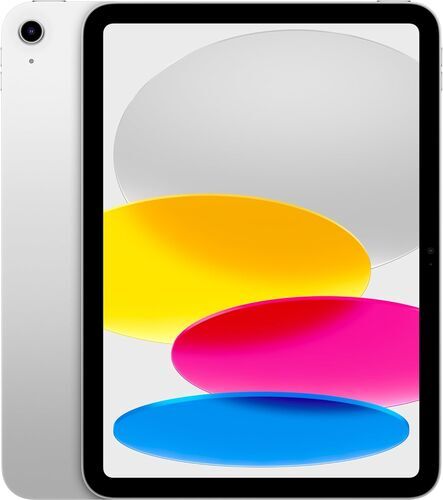
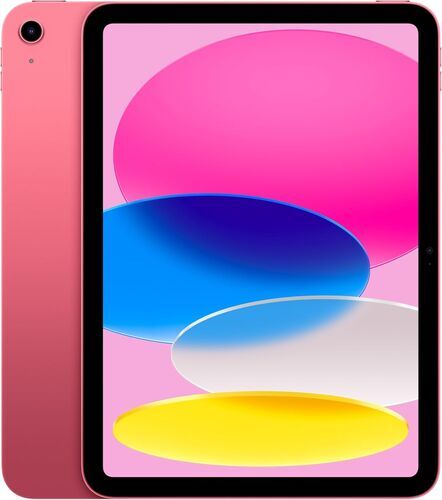
Primary school: Ask whether the school supplies iPads for lessons and whether your child needs one at home. If you're buying it yourself and the school approves it, a Wi-Fi iPad 11 (2025) with the A16 chip and 128 GB of storage is a good starting point. Get the school-approved case and skip the digital pen unless your child needs one for class.
Secondary school: The iPad 10 (2022) with the A14 chip is still an option if it meets the school's rules on device age and storage for the years your child has left there. See "Can your school enrol the iPad you buy?" for examples of what schools accept. Leave room for offline textbooks and app updates. If your child needs a pen, check the school's list: Realschule Gmund, for example, lists the Logitech Crayon and the Lamy safari note+.
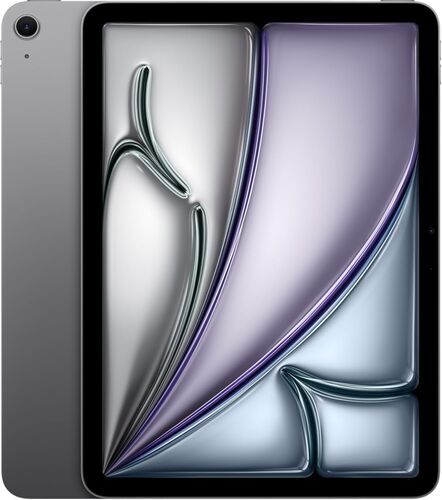
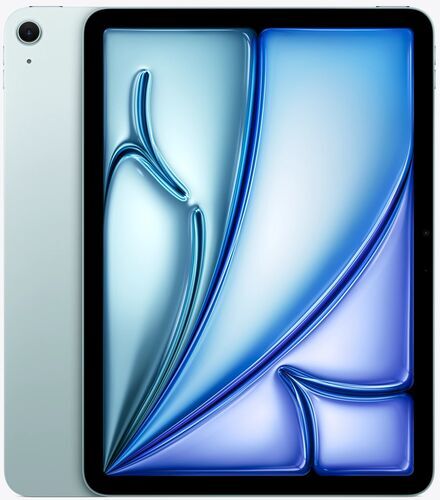
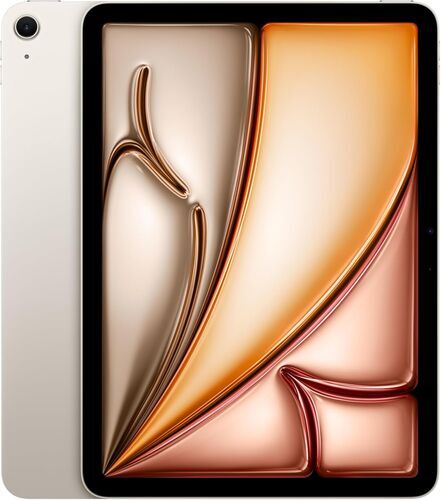
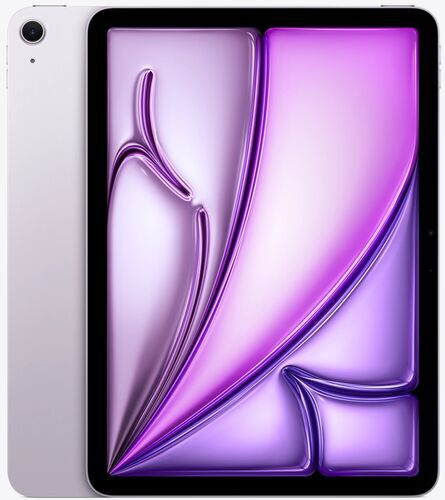
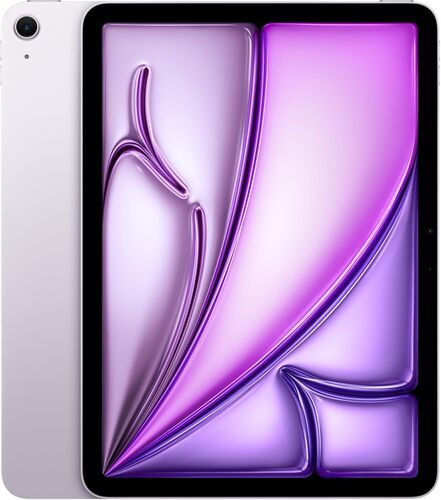
University: Keep the iPad you already have if it meets your course and exam requirements. If you're buying, compare the two 11-inch Airs: the iPad Air (2025) with the M3 chip and the iPad Air (2026) with the M4 chip. Consider 256 GB if you'll be downloading lectures or keeping a large library offline.
Keyboards: As of November 2026, Apple lists the Magic Keyboard Folio for the iPad 10 and iPad 11. Both 11-inch Air models work with the 11-inch Magic Keyboard for iPad Air. Before buying a separate keyboard, check what your school supplies. Haslingden's package is one example in "Who owns the school iPad, and can a grant cover a refurbished one?"
Stock changes, so check the four product pages for what's available on refurbed.
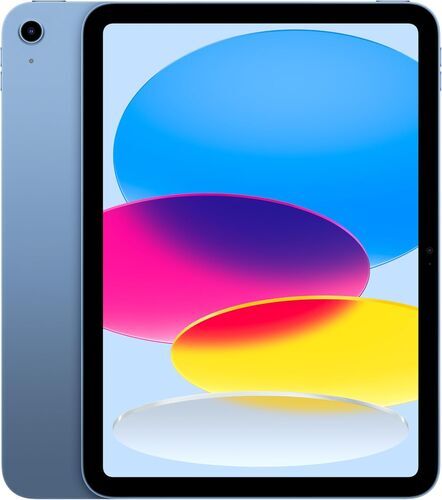
The four models side by side

From € 368,99
Chip
Apple A14 Bionic
Charging port
USB-C 2.0
Weight
477 g
Year of release
2022
Browse all four refurbished iPad models

Which iPad restrictions stay on after class?
The app restrictions your school sets for lessons may not stay on when the school day ends. Before buying a refurbished iPad your child will also use at home, ask the school which restrictions stay in place and which settings you can change after enrolment.
If the school lets you set your own controls, you can use Screen Time to schedule Downtime and set time limits for apps. You can also use Apple's family controls to require your approval for purchases. Apple's November 2026 guidance for families explains how to set these up.
Take Realschule Gmund. Its FAQ, checked on 26 November 2026, says the school's classroom app restrictions lift outside school hours. It lists Screen Time and Jamf Parent as options for families at home.
Refurbished iPads for school and university
Here are three things to know before you buy a refurbished iPad:
- Testing and grades: Every device on refurbed is tested before it is sold. The grade tells you how it looks: Good means visible signs of use, while Premium means it looks exactly like new. Whatever the grade, the device works as it should.
- Battery status at purchase: Look for the battery status on the listing: New Battery, Battery Excellent or Battery Good.
- A wider range: A school such as Liceo Salvemini still lists older models, the iPad 10 among them, as approved devices. You can find older iPad generations on refurbed.
If your iPad spends the school year in a case, you won't see most of what the grade describes. A lower grade can make sense. Check the product pages for current options and prices.
Cracked screens and tired batteries: what a school year costs
What will it cost to fix your iPad if it gets damaged? That depends on your school's scheme. Haslingden's September 2026 scheme gives you five years of accidental damage cover, with a £20 charge per repair. To qualify for cover, use the case named in the scheme. Loss, theft and accidental damage to accessories are excluded. Collège Assomption Montpellier sets a €90 excess in its 2026 charter.
If you're not using a school scheme, the repairer sets the price. On 25 June 2026, an authorised UK repair provider listed its out-of-warranty prices for servicing the whole iPad: £369 for the iPad 11, £499 for the iPad Air with the M3 chip and £529 for the iPad Air with the M4 chip. Now take a cracked screen. On 25 November 2026, a repair shop in Rotterdam listed screen repairs starting at €199 for the iPad 11 and €519 for either iPad Air. At €519, a single iPad Air screen repair would cost more than the €419 Apple listed for its own certified refurbished iPad 11 in Germany. These are listed prices, not a guarantee of what you'll pay for your repair.
An iPad battery wears down with use. Apple aims for it to keep 80% of its original capacity after the equivalent of 1,000 full charge cycles, according to Apple's guidance of 26 November 2026. At half a cycle a day, a school iPad goes through about 550 to 730 charge cycles in three to four years. At one full cycle a day, that's about 1,095 to 1,460. Add those cycles to the iPad's starting count. On the iPad 11 and both Airs, Battery Health shows the battery's maximum capacity and when it was first used.
When you buy an iPad on refurbed, you can see its battery status. What you save compared with buying new can pay for a proper case from the tablet accessories range. Before the return window closes, check Battery Health and use the iPad as you would on a normal school day.
Returning a school iPad (notes and Activation Lock) or selling your own
The work your school lets you keep can go with you. Export it before your school account closes. Microsoft shows you how to copy sections from your school OneNote notebook into a personal one while you can still sign in to both accounts. If the notebook is in your personal OneDrive, you can export the whole thing from OneNote on the web. Goodnotes Support explains the difference between an editable backup in the app's own format and a PDF copy. Notability's August 2026 guide lists PDF and the app's own Note format as export options.
Taking the iPad off the school's management system? Follow Apple's November 2026 instructions: sort out Activation Lock, then wait for the school to release the iPad before you erase and restore it.
If you're selling your own iPad, what might it fetch? Take the 2022 iPad 10 with 64 GB. A UK trade-in comparison from 7 November 2026 found median cash offers of £200 for one in excellent condition, £130 for one in good condition and £19 for a faulty one. Those figures reflect offers recorded for an older model, so ask for a quote when you're ready to sell.
If the iPad is yours, you can pass it on or sell it. Keep it in its case to protect it from damage that could lower its resale value. Choosing a refurbished iPad shows children that they can use a device someone else has owned rather than pay more for a shiny new one.
iPad for school and university: FAQs
Can I use a refurbished iPad for school?
Yes, if your school lets you use a refurbished iPad you’ve bought yourself. At Realschule Gmund, for example, you can use one as long as it meets the school’s requirements. To qualify for Bavaria’s grant, a refurbished iPad must be bought from a commercial seller, come with at least a year’s warranty and meet the minimum screen size requirement. Ask your school first.
Which iPad is best for school?
The best choice is one on your school’s list. If your family can choose, a Wi-Fi iPad 11 with the A16 chip and 128 GB is a good starting point for primary and secondary school. For a long course or university study, consider an iPad Air.
Will my school accept an iPad I bought myself?
Not always. Realschule Gmund will accept an iPad you buy yourself if it meets the school’s requirements. The school charges about €30 to enrol it, plus €20 per school year. At Gutenberg-Gymnasium, families buying an iPad for 2026/27 must follow the school’s own process. Ask your school before you buy.
How much storage does a school iPad need?
Realschule Gmund and Gutenberg-Gymnasium both said 128 GB was enough. It’s the minimum at Gmund and the amount Liceo Salvemini recommends. At university, consider 256 GB if you download lectures or keep a large library offline.
Do I need a keyboard or a pen for school?
Only if your school or course asks for one. A keyboard is optional at Realschule Gmund, but you’ll need an external keyboard for a fully digital Advanced Placement (AP) exam. You only need a pen if your class asks for one. If it does, the guide to the best tablet for students covers pens in more detail.
Can I take my exams on an iPad?
It depends on the exam. You can’t use an iPad for an invigilated online exam at the Open University. College Board’s Bluebook does accept iPads, but it sets requirements for the keyboard and battery. Check with your exam provider, then take its practice exam on your iPad.
What happens to my notes when I hand back the school iPad?
Export any notes the school lets you keep before your school account closes. Once it does, you could lose access. In OneNote, you can copy sections from a school notebook into a personal one. Goodnotes offers an editable backup in its own format, while Notability can export PDFs as well as files in its Note format.
Ready to find the iPad your school will accept?
The iPad you've got your eye on might not be on your school's list. Ask the school which models it accepts, how much storage they need and how old they can be.
You can shop for a refurbished iPad on refurbed, which brings buyers and sellers of reconditioned electronics together. The marketplace won Austria's overall EY Scale-up of the Year 2023.
Each refurbished iPad comes with at least 12 months of warranty cover and a return window. Once you have yours, use that window to check that your school can enrol it and that your exam setup works on the iPad itself. Learning to make greener choices can start with the iPad your child takes to school. Have a look through the models and choose a refurbished one from the school's list. In class, they'll see for themselves that it does the job just as well as a new one.


Sign up for our newsletter for the first time and save 15€!
Never miss an offer again.
Information about the use of personal data can be found in our Privacy policy.
Get the refurbed app
For iOS and Android


Confirm sign-up
Click the link in our confirmation e-mail to receive your voucher. It will be applicable to purchases from € 200.
- © Refurbed Marketplace GmbH
- Accessibility
- T&C
- Privacy Policy
- Imprint
- Legal Notices
- European Data Act
- Cookie Policy