MacBook for students: finding the right study companion
Early morning lecture at 8am. Library table at 11pm. Assignment due in 10 minutes. Your laptop needs to keep up with all of it, every day, without hunting for a power socket.
MacBooks earn their place in student bags because of one thing most reviews don't measure: they last through a full campus day without a charger. Silent, light, and running macOS, they are built for the conditions students actually work in, not a home-office desk.
This guide covers every current model available on refurbed from the affordable MacBook Neo to the MacBook Air M5 and helps you find the one that fits your course, your budget, and how you work.
Why students choose MacBook over other laptops
All-day battery, no socket hunting. No other laptop category at any price tier comes close to MacBook battery life. The MacBook Air M4 officially claims 15 hours. In student use that means a full day of lectures, library sessions, and late-night writing without tracking down a charger. Bring the cable as backup, not as a necessity.
macOS keeps you focused. macOS runs a narrower app library than Windows. For students, that is an advantage. Open a Mac and you get Spotify and Google Docs. You don't get a game launcher. The limited ecosystem is not a weakness. It is a working environment that keeps distractions out.
iPhone users: one ecosystem, one cable. A single USB-C cable charges both your iPhone and MacBook Neo. AirDrop, iMessage, and iPhone Mirror work across both devices with no setup. The continuity shows up in daily campus life, not just on a spec sheet.
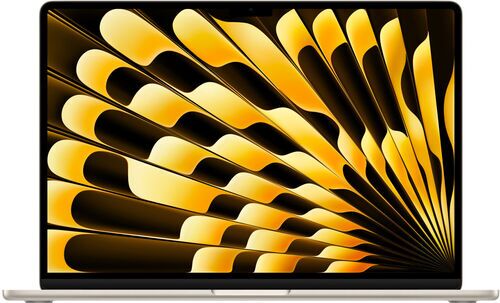
From essays to rendering: the MacBook worth buying
Tight budget: start with the refurbished MacBook Air M1 2020. Launched in 2020, it still runs the latest macOS in 2026, a six-year track record most reviewers never get to see. M-series MacBooks hold their value in a deep, active used market, so you can use an M1 Air through your degree and sell it afterwards. When buying, check that battery health is above 90%.
Everyday coursework: choose the MacBook Neo 2026 for essays, slides, research and group calls. Its A18 Pro handles standard coursework, its battery lasts up to two days with light use, and it weighs 1.23 kg. Choose 512 GB rather than 256 GB; the section on the 512 GB rule below explains why.
Heavier multitasking and compatible STEM work: step up to the MacBook Air M4 2025 or MacBook Air M5 2026. The M4 is the minimum here: it starts with 16 GB of RAM, giving you room to run development tools, datasets and a virtual machine side by side. Its two Thunderbolt 4 ports let you connect an external monitor without a hub. It also handles occasional 4K video editing.
Sustained creative work: if video, design or photography means rendering under load every day, the MacBook Pro is worth the extra cost. It is built for sustained performance and adds HDMI, an SD card slot and Thunderbolt 5. Check your course software before choosing any Mac: SolidWorks and Revit have no Mac version, while Excel macros on Mac are a genuine pain point. If your course depends on any of them, a Windows laptop is the more practical choice.
Late-night work? Check the Neo's keyboard first
If you study in a dim library or shared room, the MacBook Neo 2026 has no keyboard backlight. That makes keys harder to locate when you type late, especially if you do not touch-type. Its trackpad also clicks physically rather than offering the Air's haptic feel. The Neo handles standard coursework, but weigh those everyday input differences before choosing it if you often work in low light or care about trackpad feel.
The 512GB rule: one config decision that actually matters
Most MacBook reviews are written by people testing a device for days or weeks. Students live with a laptop for three or four years. That gap is where the 256 GB problem shows up.
Here is the chain: 8 GB of RAM causes macOS to write virtual memory to internal storage (swap). Over time, macOS updates consume more space. Apps accumulate. Swap files grow. A 256 GB drive that felt fine in year one is visibly squeezed by year two. As storage fills, swap performance degrades, and that slows down the whole machine.
This is not a RAM problem on its own. It is the interaction between RAM size, storage size, and how macOS handles memory under pressure over a multi-year period. Short-term reviewers do not catch it because they are not living with the device through multiple update cycles.
The fix is simple: choose 512 GB when ordering. The additional cost pays for itself in performance and peace of mind across your entire degree.
iPad for students: note-taking companion, not laptop replacement
The iPad earns a genuine place in a student's setup, but not as a laptop replacement.
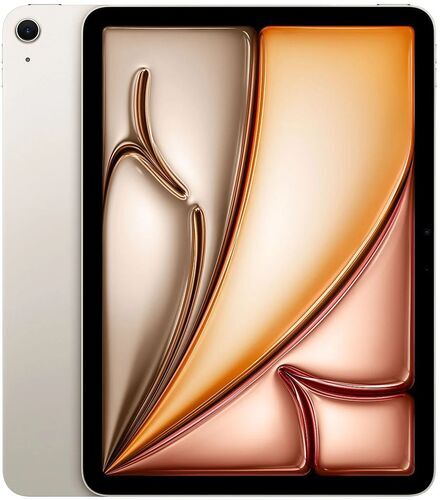
As an annotation tool, it is outstanding. Lecture slides, textbooks, past papers, handwritten notes: the iPad handles all of it. iPad Air M2 with Apple Pencil Pro is the most capable annotation kit for students. If budget is tight, the iPad 10 still works well. Just accept the non-laminated display. In dorm environments where printing is difficult, digital annotation on an iPad is especially practical.
As a laptop replacement, the case is gone. An iPad Air 13-inch with a Magic Keyboard costs more than a MacBook Neo and delivers a worse laptop experience. You are paying more to fight iPadOS for tasks macOS handles without friction. The MacBook Neo's arrival closed that argument.
The dual-device setup is a real workflow. Many students use a MacBook for assignments, research, and video calls, and an iPad for handwritten notes and reading alongside it. These are complementary tools with clearly different roles, not competing purchases.
MacBook for teachers: a different set of priorities
Student laptop guides rarely account for the teacher reading them. The requirements are different.
Classroom connectivity. Teachers plug into projectors, screens, and external monitors every day. The MacBook Air M4 2025 has MagSafe 3 plus two Thunderbolt 4 ports. A single USB-C adapter covers HDMI for any classroom projector. The MacBook Neo's two USB-C ports have no HDMI output and no Thunderbolt. For a teacher who connects to hardware in every room, that creates real daily friction.
Room-to-room mobility. Fanless design and all-day battery mean no recharging between lessons and no fan noise interrupting a class. The MacBook Air M4 moves between classrooms without a second thought.
Quick sharing with students. AirDrop to students' iPhones takes seconds. iPhone Mirror, iCloud, and continuity features map naturally to classroom workflows.
The MacBook Air M4 or M5 is the natural teacher Mac: port-equipped for classroom hardware, silent for shared spaces, and built for all-day use without constraints.
Why buy a refurbished MacBook from refurbed?
Every MacBook is professionally tested. Sellers on refurbed inspect, clean, and test every device. Battery, ports, display, keyboard, and camera are all checked. Every listing comes with a minimum 12-month warranty. It arrives ready to use.
Resale value works in your favour. M-series MacBooks hold their value because demand stays strong. Buy a refurb MacBook Air, use it through your degree, and sell it into an active market at the end. The effective annual cost over four years is lower than most alternatives, including cheaper Windows laptops that depreciate faster and wear out sooner.
Choosing a refurbished MacBook instead of buying new avoids roughly 280 to 390 kg of CO2 emissions and saves over 70,000 litres of water compared to manufacturing a new device. These figures vary by model and configuration. Exact verified numbers by model class appear in the section below.
Refurbished MacBook: the real savings, model by model
Each refurbished MacBook sold on refurbed carries independently verified environmental savings compared to buying new. The figures below come from scientific research by Fraunhofer Austria, with a calculation model verified according to ISO 14040/14044 standards. Values are for the entry-tier storage configuration of each model, which represents the most conservative estimate.
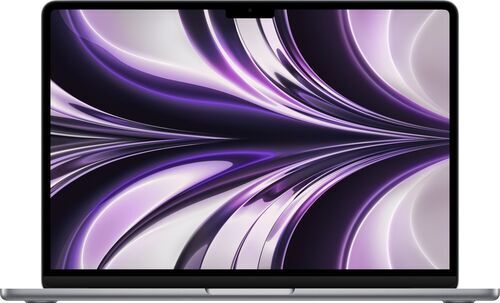
MacBook Air 2022 (13.6-inch, M2, 256 GB): 283.5 kg CO2 saved (~1,984 km), 72,135.8 L water saved (~481 bathtubs), 1,323.8 g e-waste saved.
MacBook Air 2023 (15-inch, M2, 256 GB): 352.3 kg CO2 saved (~2,466 km), 89,569.1 L water saved (~597 bathtubs), 1,586 g e-waste saved.
MacBook Air 2024 (13.6-inch, M3, 256 GB): 283.8 kg CO2 saved (~1,987 km), 72,354.2 L water saved (~482 bathtubs), 1,337.8 g e-waste saved.
MacBook Pro 2024 (14-inch, M4, 512 GB): 385.9 kg CO2 saved (~2,701 km), 98,116.8 L water saved (~654 bathtubs), 1,712.2 g e-waste saved.
Based on scientific research by Fraunhofer Austria, calculation model verified according to ISO 14040/14044 standards.
MacBook for students: common questions answered
Is 8 GB RAM enough for a student MacBook?
Yes, for most coursework. The more urgent constraint is storage, not RAM. 256 GB fills up by year two as macOS updates, apps, and swap files accumulate. 512 GB lasts the degree.
How long does a refurbished MacBook last?
The MacBook Air M1 launched in 2020 and still runs the latest macOS in 2026. That is six years and counting. M-series chips have a long software support runway. A well-maintained refurb carries you through a full degree and beyond.
MacBook or Windows laptop for students?
MacBook wins on battery, build quality, and focus. Windows wins for Excel-heavy courses and engineering software like SolidWorks or Revit that have no Mac version. Know your course requirements before deciding.
Is a refurbished MacBook as good as a new one?
Yes. Refurbished MacBooks on refurbed are professionally tested, cleaned, and backed by a minimum 12-month warranty. Many arrive in near-new condition. Browse the full range on refurbed.

Sign up for our newsletter for the first time and save 15€!
Never miss an offer again.
Information about the use of personal data can be found in our Privacy policy.
Get the refurbed app
For iOS and Android


Confirm sign-up
Click the link in our confirmation e-mail to receive your voucher. It will be applicable to purchases from € 200.
- © Refurbed Marketplace GmbH
- Accessibility
- T&C
- Privacy Policy
- Imprint
- Legal Notices
- European Data Act
- Cookie Policy