MacBook Air M2 vs M3 vs M4 vs M5: which chip deserves your money?
Every MacBook Air since 2022 wears the same slim aluminium wedge, the same fanless hush, the same all day battery promise. What changes underneath is the chip, the processor doing all the real work, and Apple has swapped it four times since then: M2, M3, M4, M5. Same body, four different engines, four different price to performance stories.
Picking the right one isn't about chasing the newest badge. It's about matching the processor to what you do with a laptop, without paying for power you'll never touch. Here's how the four generations compare on refurbed, chip by chip.
Quick verdict: which MacBook Air chip is right for you?
Get the M2 if you want the most affordable way into Apple silicon for everyday browsing, email and video calls.
Get the M4 if you want the best all round balance of price and performance today: 16GB of memory as standard, newer Thunderbolt ports, and a screen that stays open while you use two external displays.
Get the M5 if you edit video, render 3D or want the longest battery life and the most storage headroom.
Think twice about the M3 unless it's heavily discounted. It sits close to both its neighbours without a clear win of its own.
What changes inside a MacBook Air, chip to chip?
Start with memory, because it matters more than the processor name on the box. The M2 and M3 Air shipped with 8GB of memory as standard. Apple's spec sheets later listed 16GB configurations for both, but most M2 and M3 units in circulation are still the original 8GB base. The M4 is the first Air to make 16GB the standard, and the M5 keeps it there. For anyone who keeps twenty browser tabs open next to a chat app and a video call, that jump matters more than any CPU benchmark.
Storage tells a similar story. The base M2 uses a single storage chip that reads and writes noticeably slower than you'd expect, a known weak spot fixed from the M3 onward. The M5 goes further and doubles the base drive to 512GB, up from 256GB on the M2, M3 and M4, alongside a real jump in memory bandwidth.
Then there's the graphics engine. The M2 and M3 perform almost identically in raw graphics tests. The real split happens with hardware accelerated ray tracing, which arrives at the M3 and carries through the M4 and M5. If you edit 3D scenes or lean on ray traced rendering, that's the generation where things start to matter.
Engineering or just more power? The M4 to M5 graphics story
Here's a fact worth sitting with: the M4 and M5 draw almost exactly the same graphics power under load, around 9 watts, and the base M5 does it with fewer graphics cores: 8, against the M4's 10. Despite that, the M5 pulls noticeably ahead in rendering and ray tracing tests.
That kind of result isn't a chip running hotter or wider to squeeze out more frames. It's fewer cores doing more work inside the same power budget, and that's the more interesting kind of upgrade: better architecture, not a bigger power bill. Every new chip generation raises the same question: is this real engineering progress, or just more power pushed through the same design? For the M5's graphics engine, the numbers say engineering, not brute force.
MacBook Air M2 vs M3 vs M4 vs M5: specs compared

Chip
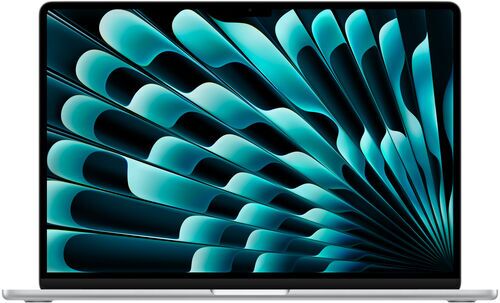
Apple M5
CPU cores
10
Ports
2x Thunderbolt 4, MagSafe 3
Connectivity
Wi-Fi 6/7, Bluetooth 6.0
Display
IPS, 60Hz
Weight
1.24 kg
Released
2026
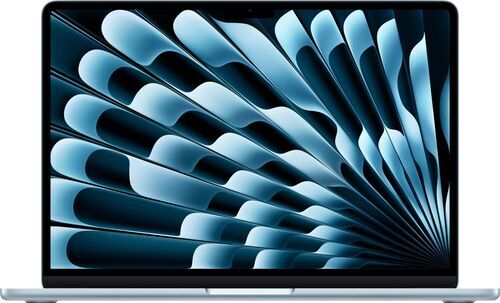
Apple M4
10
2x Thunderbolt 4, MagSafe 3
Wi-Fi 6, Bluetooth 5.3
IPS, 60Hz
1.24 kg
2025
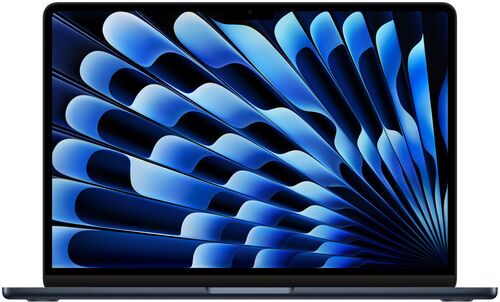
Apple M3
8
2x Thunderbolt 3, MagSafe 3
Wi-Fi 6, Bluetooth 5.3
IPS, 60Hz
1.24 kg
2024
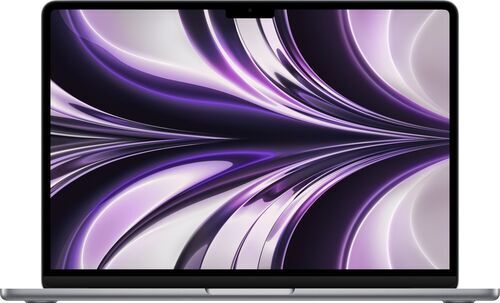
Apple M2
8
2x Thunderbolt 3, MagSafe 3
Wi-Fi 6, Bluetooth 5.0
IPS, 60Hz
1.24 kg
2022
Is the M3 MacBook Air worth buying?
The M3 isn't a bad chip. It's just stuck in an awkward spot. Its graphics performance barely moves past the M2's, and its CPU gains don't go far enough to close the gap with the M4, which usually costs similar money once you account for the M4's extra memory and newer ports.
That doesn't make the M3 worthless. If you find one heavily discounted and your day to day work is browsing, documents and video calls, it holds up fine. But if the M3 and M4 are priced close together, as they usually are, the M4 is the one that earns its price. The M3 is the generation to buy only when the discount does the convincing for you.
M4 vs M5: is the newest chip worth the premium?
The M5 is the clearest upgrade in this whole lineup for one simple reason: it doesn't just get a faster chip, it gets a faster everything. The base drive doubles to 512GB, memory bandwidth takes a real step up, and in matched battery tests the M5 lasted roughly an hour to an hour and a half longer than the M4. It's also the first Air to move past Wi-Fi 6, picking up the newer Wi-Fi 7 standard alongside Bluetooth 6.0.
What it doesn't deliver, yet, is a night and day difference in on device AI. The neural engine is faster on paper, but Apple Intelligence hasn't caught up enough in daily use for that speed to matter much right now.
If you edit video, render 3D, or want the longest battery life and the most storage headroom, the M5 earns its premium. If none of that applies, a discounted M4 still holds up as excellent value.
Everyday tasks vs. intensive tasks: the only comparison that matters
For browsing, email, documents and video calls, the M2, M3, M4 and M5 feel close to identical. Pages load a fraction of a second faster on the newer chips, a difference you'd only catch in a side by side test, not in daily use.
The real gap shows up under sustained pressure: exporting a long video project, rendering a ray traced 3D scene, or juggling thirty plus browser tabs alongside a chat app and a video call. In heavy multitasking specifically, memory decides the outcome more than chip generation does. An 8GB configuration runs out of headroom regardless of which chip sits next to it.
So before comparing chips, ask which category your work falls into.
Environmental savings through refurbished purchases, chip for chip
Each refurbished MacBook Air sold on refurbed carries verified environmental savings compared to buying new. Based on scientific research by Fraunhofer Austria (ISO 14040/14044 verified):
↓ Apple MacBook Air 2022 | 13.6" | M2 (256 GB): SAVED 283.5 kg CO₂e | 72,135.8 L water | 1323.8 g e-waste
↓ Apple MacBook Air 2024 | 13.6" | M3 (256 GB): SAVED 283.8 kg CO₂e | 72,354.2 L water | 1337.8 g e-waste
↓ Apple MacBook Air 2025 | 13.6" | M4 (256 GB): SAVED 284.2 kg CO₂e | 72,572.6 L water | 1351.7 g e-waste
The M5 (2026) doesn't have a verified figure yet. It's new enough that refurbed hasn't sold sufficient units to calculate a reliable number, not because the savings are any smaller. Expect that gap to close as more M5 units get a second life.
Which MacBook Air chip should you buy?
Get the MacBook Air M2 if you want the most affordable way into Apple silicon and your days are mostly browsing, email, documents and video calls.
Get the MacBook Air M4 if you want the best all round balance of price and performance right now: 16GB of memory as standard, newer ports, and a screen that stays open with two external displays connected.
Get the MacBook Air M5 if you edit video, render 3D scenes, or want the longest battery life and the most storage headroom.
Consider the MacBook Air M3 only if it's priced well below the M2 and M4. It's a fine chip, just rarely the smartest buy at full price.
Whatever the chip, each MacBook buy is a smarter buy when refurbished
Whichever generation fits your needs, buying it refurbed instead of new saves you money without asking you to compromise. Every device is professionally tested, cleaned and reset before it ships. That's what makes it refurbished, not just secondhand: a minimum 12 month warranty and a 30 day trial come with it, so you can make sure it's the right fit.
Browse the full range of refurbished MacBook Airs and pick the chip that matches how you work.
MacBook Air chip FAQs
Is the M2 MacBook Air still worth buying in 2026?
Yes, for anyone whose daily work is browsing, documents and video calls. Its only real weak point is the base SSD's slower rewrite speed, which the M3 onward fixed.
What's the single biggest jump across the whole M2 to M5 lineup?
Memory. The move from 8GB to 16GB as the standard configuration at the M4 changes more day to day than any CPU or GPU benchmark.
Do I need 16GB of memory?
If you keep dozens of tabs open alongside chat apps and video calls, yes. For lighter use, 8GB still gets the job done.
Is the M5's extra battery life worth the price difference over the M4?
If battery life and storage headroom matter most to you, yes. If your budget is tight, a discounted M4 remains an excellent, nearly identical everyday experience.

Sign up for our newsletter for the first time and save 15€!
Never miss an offer again.
Information about the use of personal data can be found in our Privacy policy.
Get the refurbed app
For iOS and Android


Confirm sign-up
Click the link in our confirmation e-mail to receive your voucher. It will be applicable to purchases from € 200.
- © Refurbed Marketplace GmbH
- Accessibility
- T&C
- Privacy Policy
- Imprint
- Legal Notices
- European Data Act
- Cookie Policy