Gaming on refurbished laptops, part 2: laptop performance for the 7 most popular online games, one by one
The right refurbished laptop for online games depends on the game. The popular ones demand very different things from a laptop. League of Legends (LoL), Valorant and Dota 2 can run well on a carefully chosen business laptop with integrated graphics and 16 GB of RAM. Counter-Strike 2 (CS2), Fortnite and Roblox depend more on the exact graphics chip and on the mode or experience you play. Minecraft depends on the edition, the version and the mods, and the requirements for the Java edition went up in 2026.
Part 1 explained what RAM and graphics do and how to check the specifications of a particular laptop. Here we apply the same ideas to seven games, using facts current as of October 2026. Warzone, Marvel Rivals and the other demanding shooters keep the ratings they got in part 1.
When you test a laptop, play each game at its busiest moment, not just in the quiet opening. The RAM advice below is an estimate, not a test result. On a refurbished laptop the real result can differ, because cooling, RAM setup and condition vary.
Why these seven games
We picked the seven from Newzoo's chart of monthly active players on PC for August 2026, published on 28 September 2026. The chart covers 37 major gaming markets in six regions and leaves out China and India, so it is a useful comparison, not a count of players worldwide. The games appear in the chart's order: Counter-Strike 2 (CS2), Minecraft, Fortnite, Roblox, League of Legends (LoL), Valorant and Dota 2.
The Sims 4 ranks sixth, but its core game is single-player, so it is not on the list. The chart counts all activity in a game, not only online sessions, so this is a selection of popular games that have online play, not a ranking of how many people play them online. Steam's own chart also puts CS2, Dota 2 and PUBG among its leaders, but it only counts Steam players, so it can't rank the whole PC market.
What playable means, and how to read the RAM advice
'Playable' means different things to different players, so the advice below uses three targets:
- Casual: aim for a steady 60 frames per second (FPS), with clear movement and few pauses, even in the most demanding ordinary scene.
- Competitive: aim for 120 to 144 FPS on a screen that refreshes that fast, with steady performance in fights and controls that feel responsive.
- High detail or modified: the exact effects, textures, render distance and add-ons decide how well the game runs.
A target of 60, 120 or 144 FPS is a goal, not a prediction. A peak FPS counter can't tell you how a session feels, and fast rendering can't fix network delay, a slow server or a slow screen.
Each game below comes with RAM advice for 8, 16 and 32 GB, first without and then with a dedicated graphics card. 'Without a card' means mainstream integrated graphics, unless the line says otherwise. 'With a card' means the reference card, the last of the five setups listed below. The advice is an assessment to help you plan, not a test result:
- Older office graphics: Intel UHD 620 in a Core i5-8250U or i5-8350U laptop leaves little margin.
- Mainstream integrated graphics: this means Vega graphics of the Ryzen 5 5500U or 5625U class, or a well-configured Iris Xe.
- Stronger integrated graphics: this means Radeon 680M graphics, as in a Ryzen 7 PRO 6850U laptop, or Radeon 780M graphics, as in a Ryzen 7 PRO 7840U laptop.
- Entry dedicated graphics: this means a GTX 1650 with 4 GB or an RTX 3050 Laptop GPU, both with limited video memory.
- The reference card: this is an RTX 3060 Laptop GPU with 6 GB of video memory, paired with a modern processor, as in part 1.
Video memory (VRAM) is the memory on a dedicated graphics card, and the RAM and VRAM guide explains it. All the advice assumes a healthy SSD, the right charger, a working cooling system, a current driver and a normal background load, such as Discord and a few browser tabs.
Counter-Strike 2 (CS2): the exact graphics decide the busy rounds
CS2 can work on a suitable laptop with integrated graphics, but the exact chip matters far more than an old CS:GO benchmark suggests. Valve's listing calls for 8 GB of RAM, four processor threads, DirectX 11 graphics with 1 GB of graphics memory and 85 GB of free storage. Those are entry requirements, not a promise of steady play in a busy round. UHD 620 graphics are a compromise, Vega or Iris Xe graphics are worth testing, and Radeon 680M or 780M graphics are a separate case with much more performance to spare.
- 8 GB: this is risky without a dedicated card, because the game, Windows and the shared graphics memory leave little room. With a card, you can get high frame rates and still see interruptions when RAM runs short, so plan an upgrade.
- 16 GB: without a card, the graphics generation decides whether CS2 is a compromise or runs well enough for everyday play on that laptop. With a card, 16 GB is a practical place to start at 1080p.
- 32 GB: this leaves more memory to spare while the game runs, but it doesn't turn UHD 620 graphics into a 780M. With a card, it brings no automatic gain in FPS.
In March 2025, LaptopMedia measured a ThinkPad T14 Gen 4 with a Ryzen 7 PRO 7840U and Radeon 780M graphics at 1080p, getting 150 FPS on Low settings, 110 on Medium and 41 on Very High. Those are average frame rates for that laptop, not a guarantee for every laptop with Radeon 780M graphics. In December 2023, Diit played CS2 on the same model at Low settings, in 5v5 and 10v10 matches against bots. The reviewer found CS2 playable on that laptop, with dips below 60 FPS as the bots multiplied. On several older laptops with integrated graphics, the reviewer also saw significant stutters when sounds and effects first appeared.
FACEIT, a separate competitive service, requires TPM 2.0 and Secure Boot. Its October 2026 FAQ says Windows 10 needs version 22H2 with Extended Security Updates from 14 October 2026, and FACEIT plans to require Windows 11 in October 2027. A laptop that starts CS2 may still not be ready for FACEIT, so test the service you plan to use.
A quiet walk across the map will probably look fine. The real test is a busy round with smoke and quick turns, once the laptop has warmed up and again after twenty minutes. If memory is the limit, go from 8 to 16 GB. If fights still stall at Low settings, look at the graphics and the processor instead.
Minecraft: the edition, the version and the mods decide the laptop
Before you ask whether a laptop runs Minecraft, ask four things: which edition, which version, which server and which visual changes. Bedrock on Windows lists 4 GB of RAM as the minimum and 8 GB as recommended. Mojang's July 2026 table for Java is stricter. For 1080p at 30 FPS on the Fast preset, it calls for 8 GB of RAM with a dedicated card or 12 GB with integrated graphics, plus four physical processor cores and graphics that support Vulkan 1.3. For 1080p at 60 FPS on Fancy, it calls for 16 GB and stronger graphics, and it recommends 6 GB of video memory.
That doesn't lock older laptops out: Mojang said below-spec hardware could still launch Java, but it could no longer guarantee how well the game would run, and future versions might not work on that hardware. So check that your graphics driver, Windows and the Minecraft version you want suit the laptop. The figures cover the base game, not shaders (add-ons that change lighting and shadows), texture packs or modpacks. Even on a remote server your laptop still has to draw the world, and a busy server's delay is not a graphics problem. Java and Bedrock normally have separate servers and communities, so start with the edition your friends play or your server runs.
- 8 GB: without a dedicated graphics card, it falls below Java's new 12 GB line for integrated graphics, so Bedrock or an older Java setup may work. With a card, 8 GB only meets Java's memory minimum, so you still need to check the rest of the laptop against the full specification.
- 16 GB: without a card, it is a sensible start if the laptop's graphics meet the game's requirements and its processor is suitable. With a card, it is a balanced choice for Java, Bedrock and some visual changes, but test each edition and each visual change separately.
- 32 GB: this is useful for big modpacks, hosting a world and multitasking. Demanding shaders can still be limited by the graphics, with or without a card.
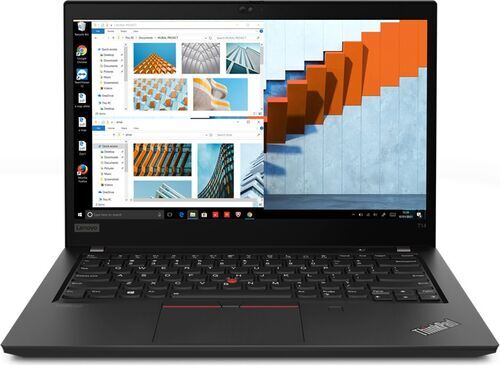
Owners report very different results. In October 2026, an owner on r/thinkpad described a refurbished T14 with a Ryzen 5 PRO, 16 GB of RAM and a 256 GB SSD running Minecraft at a stable 60 FPS with Sodium and the lowest graphics settings. They did not give the T14's generation or the game version. In November 2024, a T14s Gen 4 owner with a Radeon 780M and 32 GB reported roughly 90 to 140 FPS across Minecraft and Terraria, with no separate Minecraft figure. In a February 2026 discussion, from before Mojang published its stricter Java requirements, one ThinkPad owner struggled with Minecraft on a T480, while another claimed up to 200 FPS at 1080p on Low settings on the same model.
The Sodium project says this optional mod improves frame rates and reduces micro-stutter. It has to match your Minecraft version and mod loader, and it can't replace Vulkan support or cure a busy server. Vibrant Visuals, Bedrock's official enhanced graphics mode, adds a load of its own. Test new terrain, a busy shared base and your own shaders or modpack, because an FPS counter tells you little while your character stands still.
Fortnite: decide the game mode and the rendering mode first
Fortnite puts very different demands on a laptop: a crowded battle royale landing, a quiet Creative map and a competitive setup with settings tuned for speed are three different workloads. Epic lists 8 GB of RAM as the minimum and 16 GB or more as recommended, along with an NVMe SSD. Its 2026 competitive guide says the current Performance rendering mode uses DirectX 12 and cuts back on rendering features, so the old belief that Performance mode means DirectX 11 is out of date.
- 8 GB: this is risky without a dedicated card, because the graphics and background apps share the memory and leave little room for error. With a card, 8 GB is a poor match for what the card can do, and pauses caused by memory are plausible.
- 16 GB: without a card, this is a practical compromise at the right settings, though stronger integrated graphics need a separate test. With a card, 16 GB is a sensible place to start at 1080p.
- 32 GB: this gives you more working room, but the graphics set the same ceiling. With a card, 32 GB still can't guarantee you won't see stutters from shaders, drivers or the game engine.
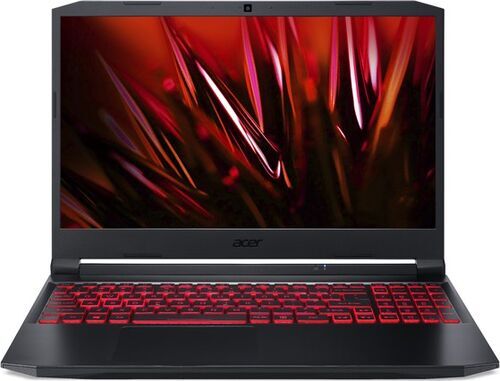
Fortnite is playable on a Vega or Iris Xe laptop at simple settings and a lower rendering resolution, but crowded landings still run poorly. A laptop with a GTX 1650 or a 4 GB RTX 3050 is a more credible choice, though not a promise of a steady 120 FPS. In October 2026, an owner of an Acer Nitro AN515-58 said on r/FortniteBR that they could not hold the 120 FPS they wanted and disliked Performance mode's visual compromises. Their laptop has an i5-12500H, an RTX 3050 Ti Laptop GPU with 4 GB of video memory, and 16 GB of RAM. The post gave no cause, and it doesn't show that the laptop can't hold 60 FPS.
If you test settings, record the rendering scale as well as the output resolution. A lower scale reduces the work, but distant players get harder to read. Epic says removing the optional high-resolution texture package can free up more than 15 GB of storage, but that doesn't guarantee faster play. If repeated DirectX shader compilation causes heavy stutter, follow Epic's steps for that problem instead of clearing caches after every session. In February 2026, Epic extended its Secure Boot, TPM and IOMMU requirements to all PC tournaments, but that doesn't make them a rule for every casual match.
If you play battle royale, test a populated landing and several full matches once the laptop is warm. Add a Creative test only if you play Creative as well. If the laptop has only 8 GB, add RAM first. For steady high frame rates, hardware that holds its performance during long sessions helps more than 32 GB of RAM.
Roblox: one platform, very different experiences
'Runs Roblox' is an incomplete promise, because experiences range from a simple obstacle course to a crowded, detailed world. Roblox's support page lists 64-bit Windows 10 or 11, DirectX 10 or higher, at least 1 GB of memory and about 300 MB of storage to install it. That describes the app, not the whole computer or every experience. 'It is for children, so any laptop will do' is poor advice. Roblox support also separates network lag, graphics lag and system lag: if other players warp around while your own view stays smooth, the network is the likely cause.
- 8 GB: without a dedicated graphics card, this is workable for lighter experiences, while heavier worlds and background apps expose the limit. With a card, 8 GB is adequate for some experiences, but the laptop is an unbalanced purchase.
- 16 GB: without a card, this is a sensible all-round start, but check how it handles the exact experiences you play. With a card, 16 GB is comfortable for many experiences, though the processor and how well each creator has optimised their experience still matter.
- 32 GB: this gives you room for demanding Roblox worlds and for other programs running alongside, but it won't fix weak graphics performance or a slow server, and Roblox doesn't require it.
In January 2025, an owner of a Lenovo IdeaPad Flex 5 with a Ryzen 5 5500U, integrated Radeon graphics and 8 GB of RAM reported on r/techsupport that frame rates dropped to roughly 10 to 20 FPS. The post showed no cause, so we can't say 8 GB alone was responsible. In June 2025, someone with a Ryzen 5 5500U described roughly 6 to 24 FPS in demanding showcase experiences at high or maximum settings, and 60 to 110 FPS at Low. Also in June 2025, someone asked on the Microsoft community forum why Roblox Rivals dropped toward 30 FPS once the charger was connected, even at Low settings. If that happens to you, check that the laptop recognises the adapter, then check the temperature, the power mode and the clock speeds.
In a busy area, compare a fixed lower Graphics Quality setting with Auto, and use the same area for both. A big improvement points to the graphics load; a small one points to the rest of the system or the server connection. Roblox added an official frame rate limit for Windows in May 2024 (60, 120, 144 or 240 FPS). A higher limit lets the laptop render more frames only if its hardware can keep up, and it doesn't speed up the server. Roblox recommends this setting over external tools that remove the limit. Roblox Studio can run the server and the player's copy of the game together, so it can need much more memory than playing does. Test two or three of your favourite experiences on a populated server.
League of Legends (LoL) and Valorant: the fight decides
League of Legends (LoL) and Valorant can both suit a refurbished business laptop with integrated graphics, but modest requirements do not prove steady play or high frame rates. Riot's table of Windows requirements for LoL lists 2 GB of RAM as the minimum and 4 GB as recommended, requires an x64 processor, DirectX 11 and TPM 2.0, and recommends 1080p and an SSD. Valorant lists 4 GB across its 30, 60 and 144 FPS tiers, plus DirectX 11. Those RAM figures are not buying targets: Valorant's tiers specify processor and graphics combinations, not 144 FPS from any 4 GB laptop.
Check their software conditions separately. LoL's Windows table excludes Enterprise and Server editions, so check which edition is installed on a refurbished corporate laptop. Vanguard must let LoL start; if it blocks the game, follow the instructions in its restriction message, because having Windows 11 installed does not prove the game will start. Valorant does not support Arm-based Windows laptops, cloud gaming or virtual machines. On Windows 11, it requires TPM 2.0 and UEFI Secure Boot. Install Valorant when the laptop arrives and check that Vanguard, its anti-cheat, starts. Do not disable features Vanguard expects. Valorant moved to Unreal Engine 5.3 in patch 11.02 on 29 July 2025, with small performance gains, so videos recorded before the update are not current benchmarks.
- 8 GB: without a dedicated card, LoL is often workable on a suitable processor if little else runs, while Valorant is workable on suitable hardware if you also check memory speed. With a card, LoL has plenty of rendering power and Valorant can run well, but either laptop is less flexible than a 16 GB one.
- 16 GB: without a card, LoL is a strong choice and Valorant a sensible all-round one with voice chat and a browser open. With a card, both have comfortable capacity, but the processor decides whether high frame rates hold in LoL team fights or Valorant fights.
- 32 GB: with or without a card, LoL usually gains little game speed and Valorant has no dependable FPS gain. The value is mainly extra room for multitasking.
In April 2025, a player claimed to have reached Master rank on a ThinkPad T495 while reporting about 40 FPS on average and 20 in team fights. The rank and figures are self-reported, and the player gave only partial details of the setup. Still, the post shows two things: one player's success is no reason to recommend those frame rates, and an overall average can hide much lower frame rates in team fights. In August 2025, another ThinkPad owner said LoL sometimes fell toward 20 FPS after smoother play. Before writing off the laptop family, check whether something changed recently, how the laptop handles power and whether another system condition explains the drops.
In 2026, an owner of an i5-1135G7 laptop with 16 GB reported playing Valorant on a stretched resolution. With a frame-rate cap set, they saw stable play at around 70 FPS, and without it, peaks near 120 FPS. Their '128 MB' graphics figure is the memory reserved for graphics, not Iris Xe's total graphics capacity, because it shares system memory. In October 2025, one owner reported about 150 to 170 FPS on a 16 GB i5-1135G7 T14s, versus 120 to 140 FPS on a 16 GB Ryzen 5 7535HS ThinkPad E16. The settings were not matched, and 'newer AMD laptop' is not a useful specification.
For LoL, Riot's FPS guidance distinguishes constantly low FPS from drops in busy scenes and points to requirements, graphics drivers, settings and background programs. Record the resolution you will play at. Test a full match with a busy team fight over an objective, then run a second session once the laptop is warm. For Valorant, check the screen's refresh rate in Windows and in the game. Once the laptop is warm, test a practice session first, then an ability-heavy live multiplayer match. Leave frame generation out: its inserted frames change how motion looks, but the controls do not respond as quickly as they would at an equally high native frame rate.
Do not buy 32 GB to fix a slow fight or a blocked launch. For LoL, put the money first into a better screen, a stronger processor, better integrated graphics or a laptop in better condition. For high frame rates in Valorant, verify that the processor and graphics hold up in the live test.
A security feature on the spec sheet is not firmware access
A processor may list a security feature without telling you whether the laptop maker's firmware makes the setting available. A former company laptop may also have restricted firmware access. The security checks for FACEIT and for Valorant on Windows 11 make this a practical concern; they are not requirements for every game.
Before relying on a refurbished laptop for either service, check that you can access the firmware settings and verify the required features on that exact unit. If access is restricted, ask the seller to resolve it or choose a unit you can verify. A faster processor or graphics chip will not clear a launch block caused by an unavailable setting.
Dota 2: test a fight late in the match, not the hero demo
Dota 2 feels light in a quiet lane and heavy on a laptop in a late fight with many units and effects. Valve's store page lists 4 GB of RAM and 60 GB of storage. Its Windows table still lists old operating systems and graphics cards next to DirectX 11, while Steam's client supports Windows 10 and later, so check the laptop's current software against today's requirements, not just the table. At low detail settings, a strong graphics card can be underused while the processor or the memory limits the lowest frame rate.
- 8 GB: without a dedicated card, it can work, but limited room and a weak graphics chip can make fights unpleasant. With a card, it is usable, though 16 GB is more comfortable.
- 16 GB: without a card, this is a sensible start, but test it in busy fights. With a card, 16 GB is plenty of capacity, though the processor, the laptop's power and the current version of the game still matter.
- 32 GB: this gives background programs more room, but adds little once the game session fits in memory, and it is no sure cure for late-game drops.
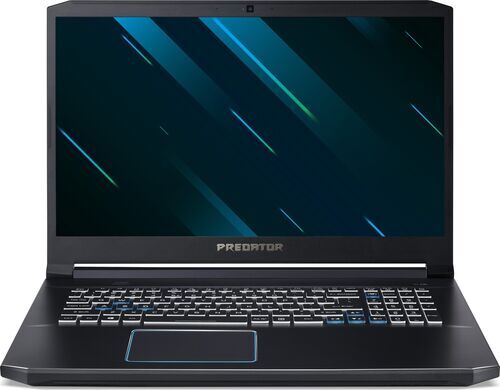
In June 2025, an owner of a Predator Helios 300 with an i7-9750H, an RTX 2060 Mobile and 16 GB of RAM said on r/DotA2 that they saw about 140 FPS in the hero demo and drops toward 80 FPS in real play. They suspected the processor was overheating, but they had not measured it. In the same discussion, someone with a Ryzen 9 7940HS and Radeon 780M reported about 60 FPS at low to medium settings on an ultrawide QHD screen. A May 2025 report on Valve's bug tracker described a laptop with an i7-12650H, an RTX 4050 6 GB and 16 GB of RAM. After an update, its frame rate fell from a claimed 144 FPS at high quality to about 35 to 40 FPS at Low. No cause was confirmed.
Repeat the same busy replay segment before and after each change, and change only one thing at a time. Then play real matches. Watch the load and clock speed of each processor core, not only the overall processor use, and check whether the laptop runs short of memory before you buy 32 GB. After a big update, check the software and settings before you replace any hardware.
Which laptop to start with for each game, and what justifies spending more
These are starting points for planning, not figures from the game publishers or test results.
- Counter-Strike 2 (CS2): start with 16 GB and either a stronger integrated graphics chip or a suitable dedicated card. Spend more if you want higher frame rates in competitive play.
- Minecraft: first find out the edition and version, then start with 16 GB. Spend more on a laptop that meets the current Java edition's requirements, on graphics for shaders, or on RAM and a stronger processor for big mods or for hosting a server.
- Fortnite: start with 16 GB and mainstream integrated graphics as a compromise, or choose a dedicated card for more graphics power. Spend more for high frame rates.
- Roblox: a 16 GB laptop with integrated graphics suits many experiences; test your favourites within the return window to be sure. Spend more on graphics for demanding experiences, or on memory if you create your own.
- League of Legends (LoL): suitable 8 GB hardware can work, and 16 GB is comfortable. Spend more on a better screen, a stronger processor, a laptop in better condition, or hardware that runs a wider range of games.
- Valorant: a suitable 16 GB laptop with integrated graphics works if Vanguard, Valorant's anti-cheat, runs on it. For 120 to 144 FPS you need more processor and graphics power. To see all those frames, you also need a screen with a matching refresh rate. Verify both in a test.
- Dota 2: start with 16 GB, a suitable processor and integrated graphics, or choose a dedicated card for more graphics power. If a test shows which part limits Dota 2, spend more on that part.
Across all seven games, going from 8 to 16 GB often adds working room. When one memory module becomes two, it can also add memory bandwidth, which is how fast data moves. A stronger graphics chip and processor open up higher frame rates and settings. Going from 16 to 32 GB makes the most sense for Minecraft mods or hosting, creating Roblox experiences and heavy multitasking, but it is not an automatic gain in every match.
Compare laptops at the same resolution, preset and capture method. Note the memory module layout, speed and channels as well as the RAM size, and write down the rendering scale, any upscaling and whether frame generation was on. A 4K screen has four times as many pixels as 1080p, and '4K with FSR' is upscaled, not native 4K.
Run these tests inside the return window: a laptop from refurbed is professionally tested, can be returned within 30 days and comes with at least 12 months of warranty. Part 1 has the 45 to 60 minute test in full. Browse the refurbished laptops that fit your first game, or read the laptop buying guide.
Frequently asked questions about online games on a refurbished laptop
Can an office laptop run Counter-Strike 2 (CS2)? Some can. An older laptop with UHD 620 graphics is a compromise, while one with Radeon 780M graphics is a much stronger candidate. Test a busy round, and test the competitive service you plan to use, such as FACEIT, because RAM alone can't answer the question.
Does Minecraft still run on 8 GB of RAM? Some setups do. The Java edition now lists 8 GB of RAM with a dedicated graphics card or 12 GB with integrated graphics, while the Bedrock edition lists 4 GB as the minimum and 8 GB as recommended. Decide which edition and version you need before you buy.
Is 16 GB of RAM enough for Fortnite? Yes, as a starting point with suitable hardware and settings. 16 GB doesn't promise a frame rate or prevent every stutter caused by shaders or software, so test the mode you play, including a crowded landing if you play battle royale.
Does Roblox need a gaming laptop? No, not for lighter experiences on suitable integrated graphics. Demanding experiences and Roblox Studio put heavier demands on a laptop and may need stronger hardware, so test your own favourites.
Is a refurbished business laptop good enough for League of Legends (LoL) and Valorant? Yes, when the processor, integrated graphics, memory layout, screen and software suit the game. Check the hardware in the listing of every refurbished laptop you consider, and the software when the laptop arrives. Holding a steady 60 FPS and holding a steady 144 FPS are different tests.
Why does Dota 2 slow down when the hero demo is fast? Because a fight late in an actual match makes the laptop do much more work than the demo. Check each factor in turn: the processor, how busy the action on screen is, the graphics settings, recent software changes and whether the laptop is running short of memory.
Which of these games makes the strongest case for 32 GB of RAM? Minecraft, if you use a big modpack or host a world on your own laptop. Creating Roblox experiences and heavy multitasking can also justify it, but none of the seven games needs 32 GB as a rule.
Do I need a dedicated graphics card for these games? Not for all of them. League of Legends (LoL), Valorant and Dota 2 can run on integrated graphics at suitable settings. CS2, Fortnite and Roblox gain a lot from a stronger graphics chip or a dedicated graphics card, and for Minecraft it depends on the shaders and mods you use.
Choose the laptop for the game you play most
Start with the game you play most. Play it on the laptop when the game is at its busiest, and keep the laptop only if the game runs smoothly.
refurbed is a marketplace where you can buy refurbished electronics from sellers who give devices a second life. It won the TRIGOS 2022 award for responsible business, in the Social Innovation & Future Challenges category.
If the laptop disappoints, you have 30 days to return it. Every purchase also comes with at least 12 months of warranty.


Sign up for our newsletter for the first time and save 15€!
Never miss an offer again.
Information about the use of personal data can be found in our Privacy policy.
Get the refurbed app
For iOS and Android


Confirm sign-up
Click the link in our confirmation e-mail to receive your voucher. It will be applicable to purchases from € 200.
- © Refurbed Marketplace GmbH
- Accessibility
- T&C
- Privacy Policy
- Imprint
- Legal Notices
- European Data Act
- Cookie Policy